From your BOQ to procurement packages. On your own PC.
Drop your BOQ. Tawreed reads it, proposes the packages, places every item once, and writes a master workbook and one workbook per package. You review the package plan, settle uncertain assignments, then approve the workbook output.
From BOQs to procurement packages and workbooks.
Tawreed screens
1 / 7 · Tawreed: Connect your AI · Sample project
Download Tawreed
Windows 10 and 11 · macOS 13+ (Apple silicon or Intel) · Linux AppImage · 64-bit
Using an older version? Install the latest once by hand; after that it updates itself.
For engineers: the app is not signed yet
We don't use a paid code-signing certificate yet, so the first time you open Tawreed, Windows SmartScreen or macOS Gatekeeper warns that the publisher is unknown. Check the file's SHA-256 below, then open it this way.
- Windows: if you see “Windows protected your PC”, choose More info, then Run anyway.
- macOS: drag Tawreed to Applications, right-click it (or Control-click) and choose Open, then Open again. On macOS 15 and later that is not enough: try to open it once, then open System Settings → Privacy & Security, scroll down and choose Open Anyway.
SHA-256 checksumsVersion v0.0.2
| File | SHA-256 |
|---|---|
| Windows · Tawreed_x64-setup.exe | d13372faec988f07780437c0fb2330dc92859424aac1bbd5eb9931692810c955 |
| Linux · Tawreed_amd64.AppImage | 7cea5c2883c82fa7fa512dbd7a56b3341cff2318d51a59df14a865d69e49c936 |
| Mac · Apple silicon · Tawreed_aarch64.dmg | 67736a055cad21b4bc991d9a539db1cee80cc423a6d29a1c805d6b519fa730a7 |
| Mac · Intel · Tawreed_x64.dmg | 50eae4e78ba4f3cdbf79ea6b68d43237195671e1091b7d6d9312d06545e941b7 |
How to check
Run the command for your system in the folder you downloaded the file to. The result must match the checksum above exactly. If it doesn't, don't open the file: download it again or write to us.
Get-FileHash .\Tawreed_x64-setup.exe -Algorithm SHA256shasum -a 256 Tawreed_aarch64.dmgsha256sum Tawreed_amd64.AppImageHow to use Tawreed
From installing it to your first published workbooks, step by step. Every clip is the app itself, running on a made-up project.
- 01
Connect your AI
Open Settings, or press Connect AI on Home. Under Add a connection, choose the service (Anthropic, OpenAI, Google, xAI or an OpenAI-compatible service), paste your own API key and press Add connection. Or choose ChatGPT (Codex) to work through your ChatGPT subscription. Press Check, then choose the model Tawreed works with under AI.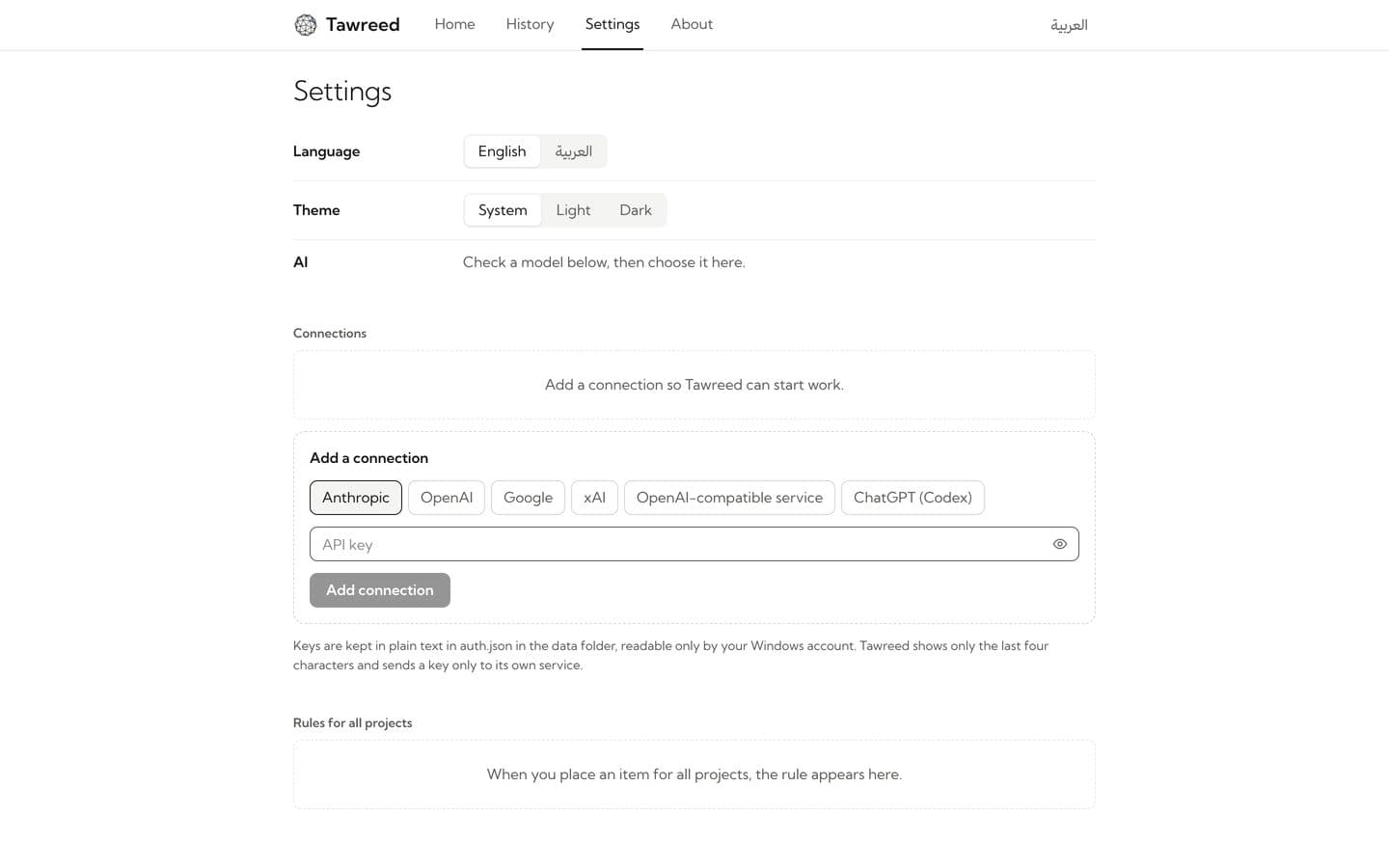
Sample project - 02
Drop your BOQs
On Home, drop the project's BOQ files, or press Choose files. Excel, CSV, ODS, PDF and scanned pages all work, with no template. The first time, a card names the AI service and asks before anything is sent: press Allow.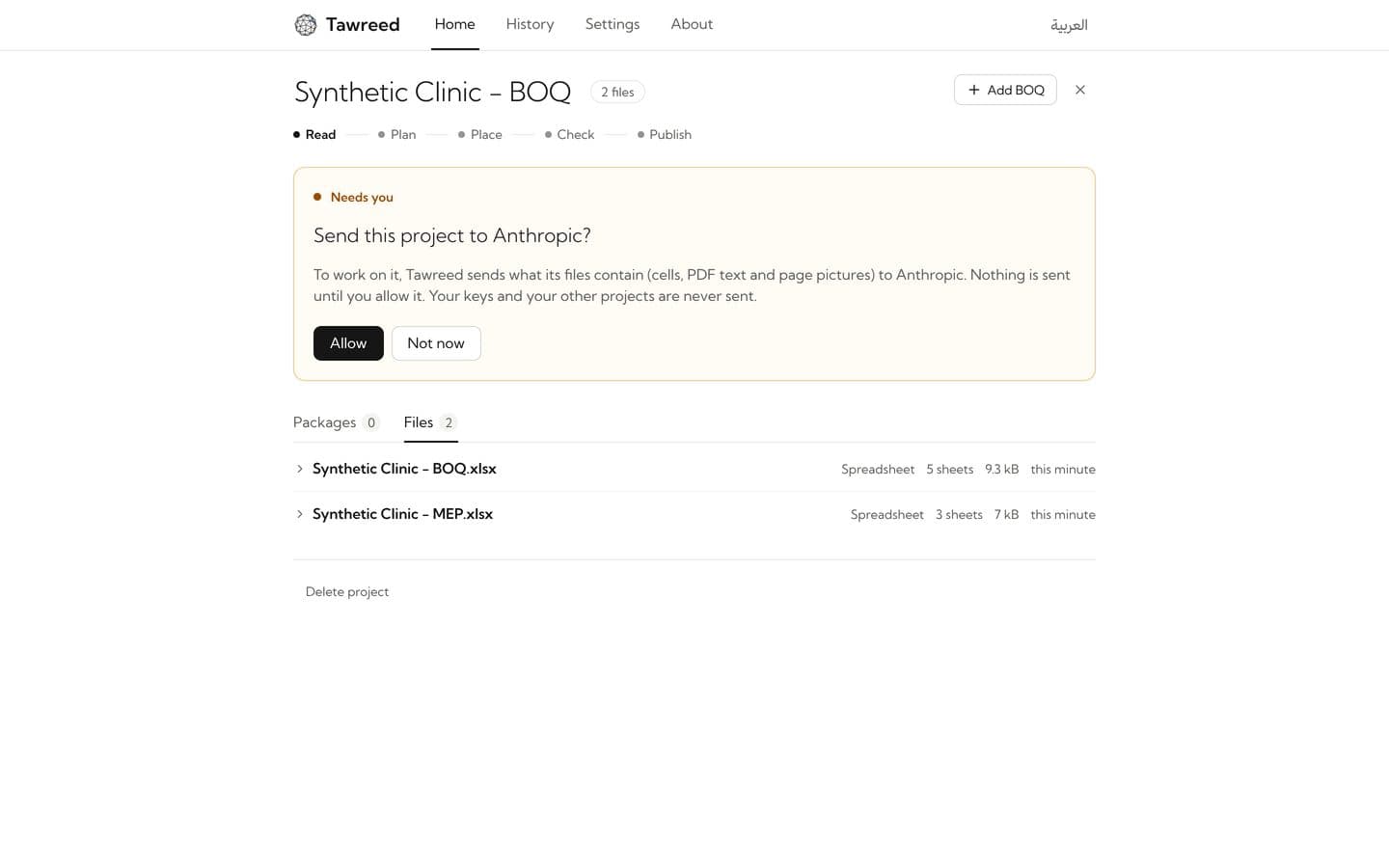
Sample project - 03
Check what it read
Tawreed lists every item exactly as written in your BOQ. Press an item's source to open the very row in the sheet, or the page of the PDF, it came from.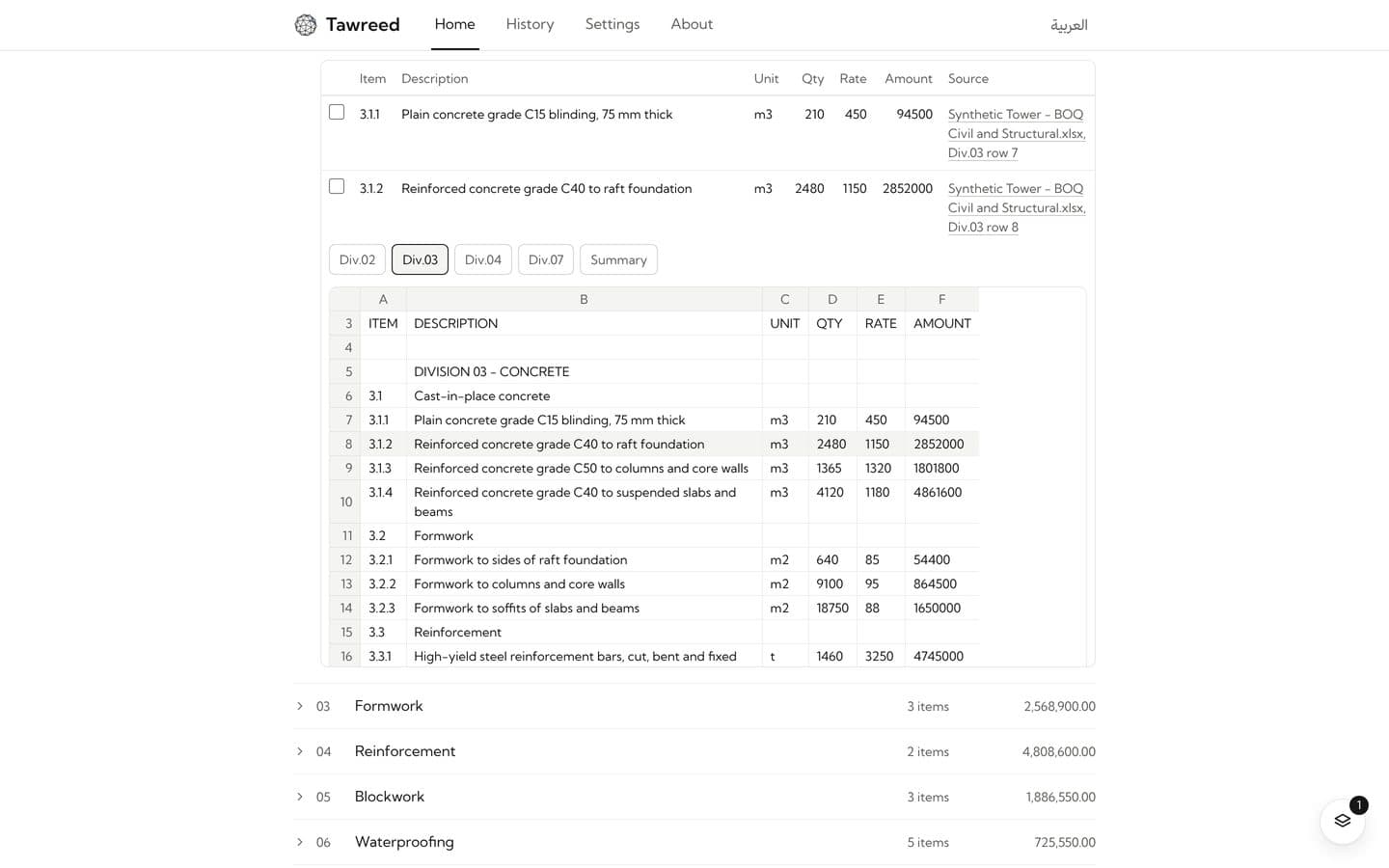
Sample project - 04
Approve the package plan
Tawreed proposes the packages: each with its name, its scope and why. Press Approve plan, or Edit plan to rename, merge, remove or add packages first, or Propose again… with a note.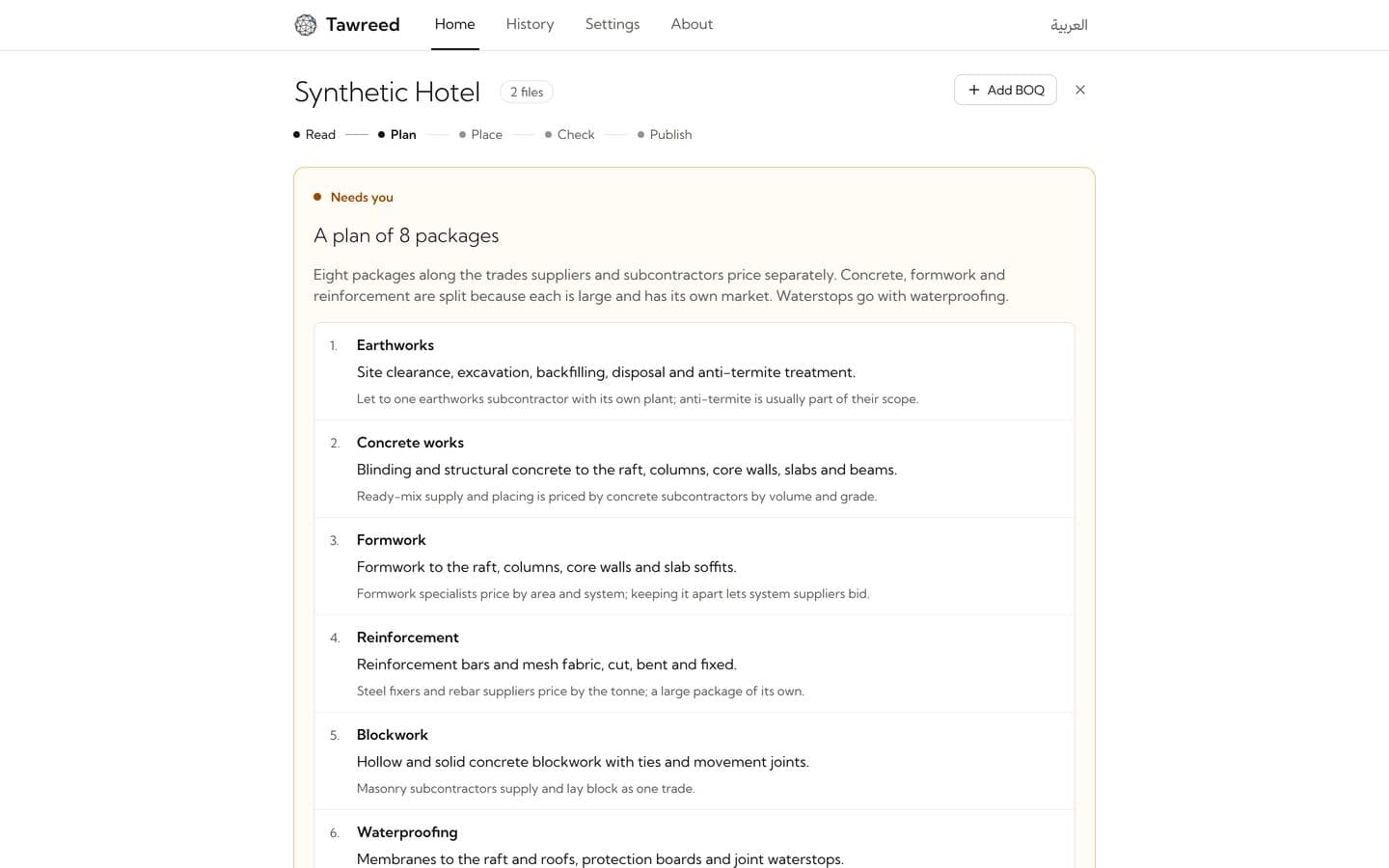
Sample project - 05
Settle uncertain items
Tawreed places every item in one package. An item it is unsure of waits for you with the candidate packages and the reason: pick one, for this item only, this project or all projects.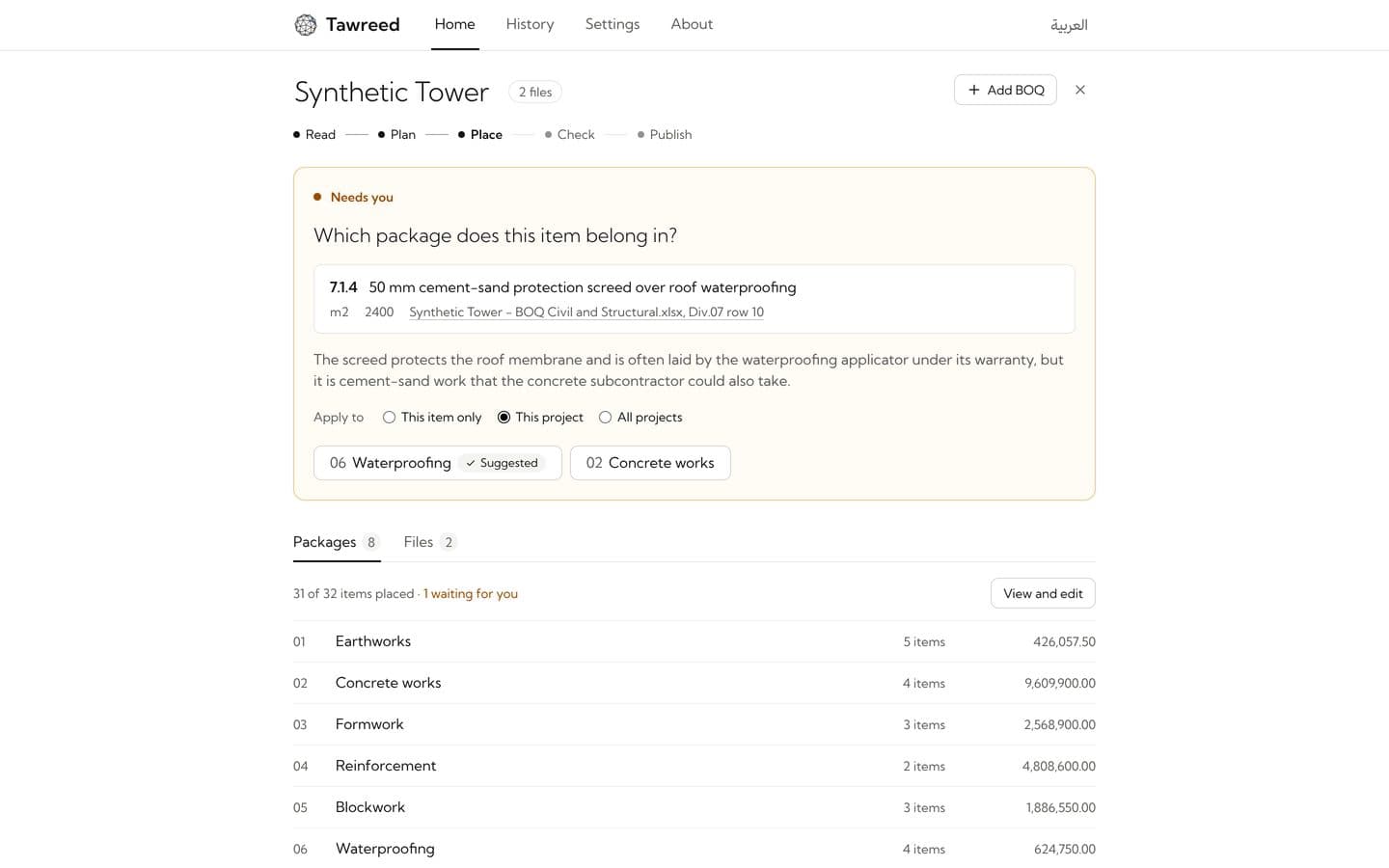
Sample project - 06
Publish the workbooks
Tawreed shows what the revision holds, computed: packages, items and amounts. Choose whether the package workbooks show your rates, then press Publish. Rev 00 is written with a master workbook and one workbook per package; use Open folder or Export…. The round Revisions button in the corner lists every revision and its workbooks.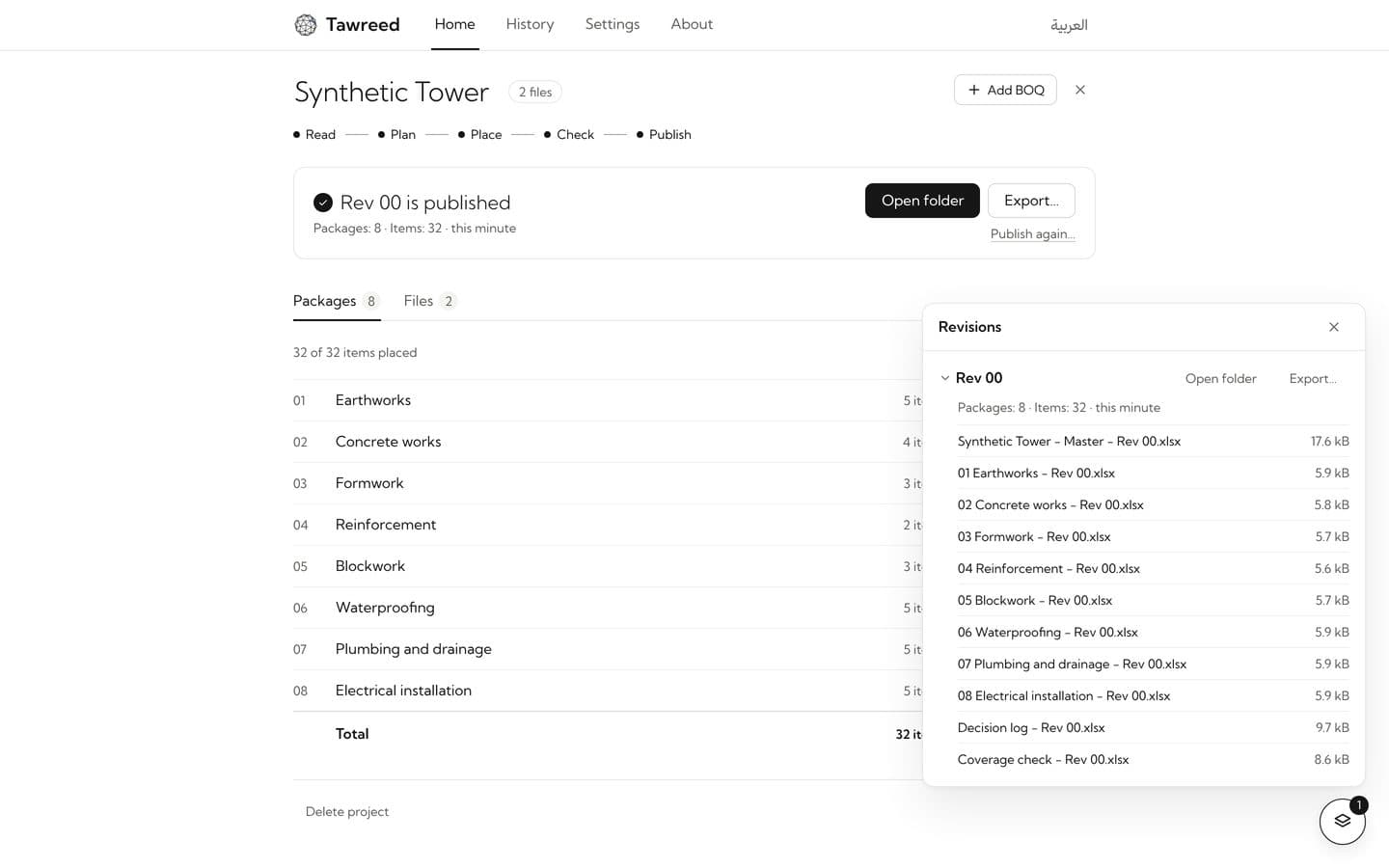
Sample project - 07
Come back any time
History keeps every project and its revisions on your PC. Add a BOQ or publish again, and the next revision gets the next number.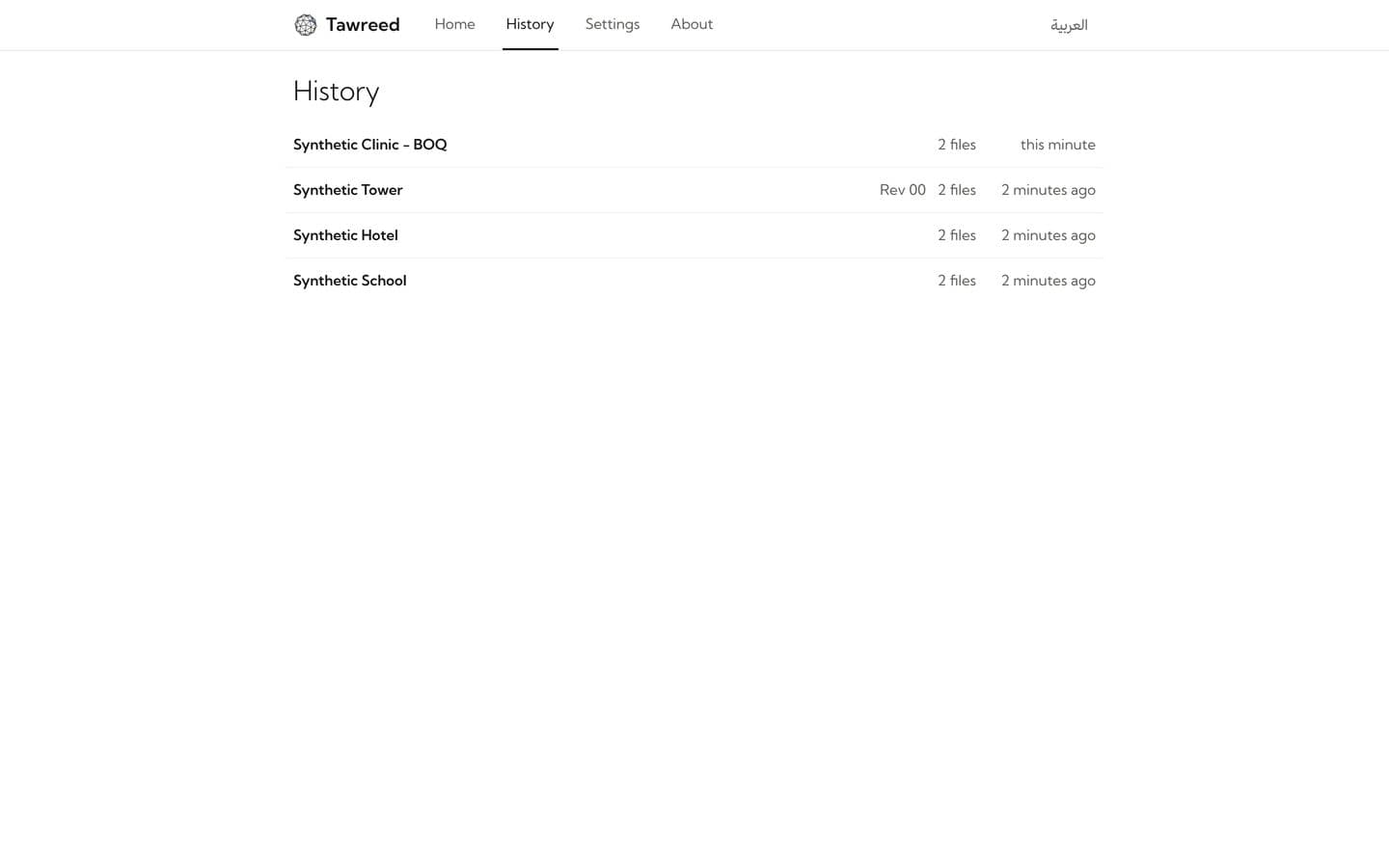
Sample project
Benefits
- 01
No fixed template.
Excel, CSV, ODS, PDF and scanned pages, in English, Arabic or both. No template to follow.
- 02
Every item in exactly one package.
Tawreed checks that no active item is missing or repeated, and reports differences between package totals and available source totals.
- 03
Your BOQ is never changed.
Codes, descriptions, units, quantities and rates reach the workbooks exactly as written.
- 04
Workbooks ready to send.
One standalone file per package, with simple formulas. Show the rates, or leave them blank for the supplier.
- 05
You decide.
The package plan and workbook output wait for your approval. You decide any uncertain assignments. You can move any item yourself.
Limits of use
Tawreed copies your BOQ as written and proposes packages for your approval. It does not price the items or choose suppliers.
Data note
Your source copies and finished workbooks are stored on your PC. For the analysis steps, Tawreed sends BOQ content to your chosen AI service after you consent for that project and connection.
Visit QS Mind